
A step-by-step guide to defining requirements and evaluating survey tool providers



Choosing a survey tool may seem straightforward, but organisations that depend on business-critical feedback for decision making, customer experience, employee engagement, or product development need far more than a basic questionnaire tool. For these organisations, the survey tool becomes a core part of their insight infrastructure, not just another piece of software.
Selecting the right tool therefore requires structured analysis, transparent criteria, and a disciplined, methodology-driven approach. The most successful organisations look beyond surface-level features and assess how a survey tool aligns with their strategy, supports their real-world workflows, and fits into their broader governance and IT landscape.
A modern survey tool should demonstrate strength in seven key areas:
Many comparison articles on “the best survey tool” simply list features or rank vendors - often without context, and sometimes influenced by the vendors behind them. This guide takes a different approach. It applies established IT-selection methodologies used in enterprise software procurement and combines them with survey-specific domain knowledge. The goal is not to crown a single “winner,” but to help organisations identify the tool that best supports their strategic goals, operating model, governance needs, and long-term feedback programmes (requirement specification).
For organisations that rely on feedback to make decisions, the survey tool is more than a point solution. It influences how quickly insight can be generated, how widely data can be shared, and how consistently surveys can be governed across departments and countries.
In European contexts, additional requirements - such as GDPR, EU data residency, and alignment with local expectations around privacy and security - further raise the bar. A tool that seems adequate for small, tactical surveys can quickly become a bottleneck when the organisation wants to scale to ongoing NPS programmes, employee engagement cycles, cross-market customer research, or regulatory reporting.
A thoughtful selection process reduces the risk of costly re-process later and ensures that the chosen solution can grow with the organisation.
Strong software selection starts with strategy, not features. Before looking at vendors, organisations should define why they need a survey tool and what business problems it must help solve. This means viewing the survey tool not just as a data-collection tool, but as part of a broader system of decision making.
Key questions include:
Clarifying these elements early prevents the all too common pattern described in sources like Forbes and Avantiico: choosing tools based on impressive feature lists that do not actually support the organisation’s real priorities.
“When managers fixate on features, they risk missing what actually drives value: the ability to solve the underlying business problem.” (HBR)
Once strategic goals are clear, the next step is to document the concrete workflows that the survey tool must support. Scenario-based evaluation is far more effective than generic feature comparison because it tests how the tool will function in real conditions.
Typical scenarios might include:
By writing these workflows down - who does what, when, with which data - the organisation reveals requirements related to automation, identity management, collaboration, permissions, translation, and reporting. Vendors can then be asked to demonstrate these scenarios explicitly, rather than giving generic demos that gloss over complexity.

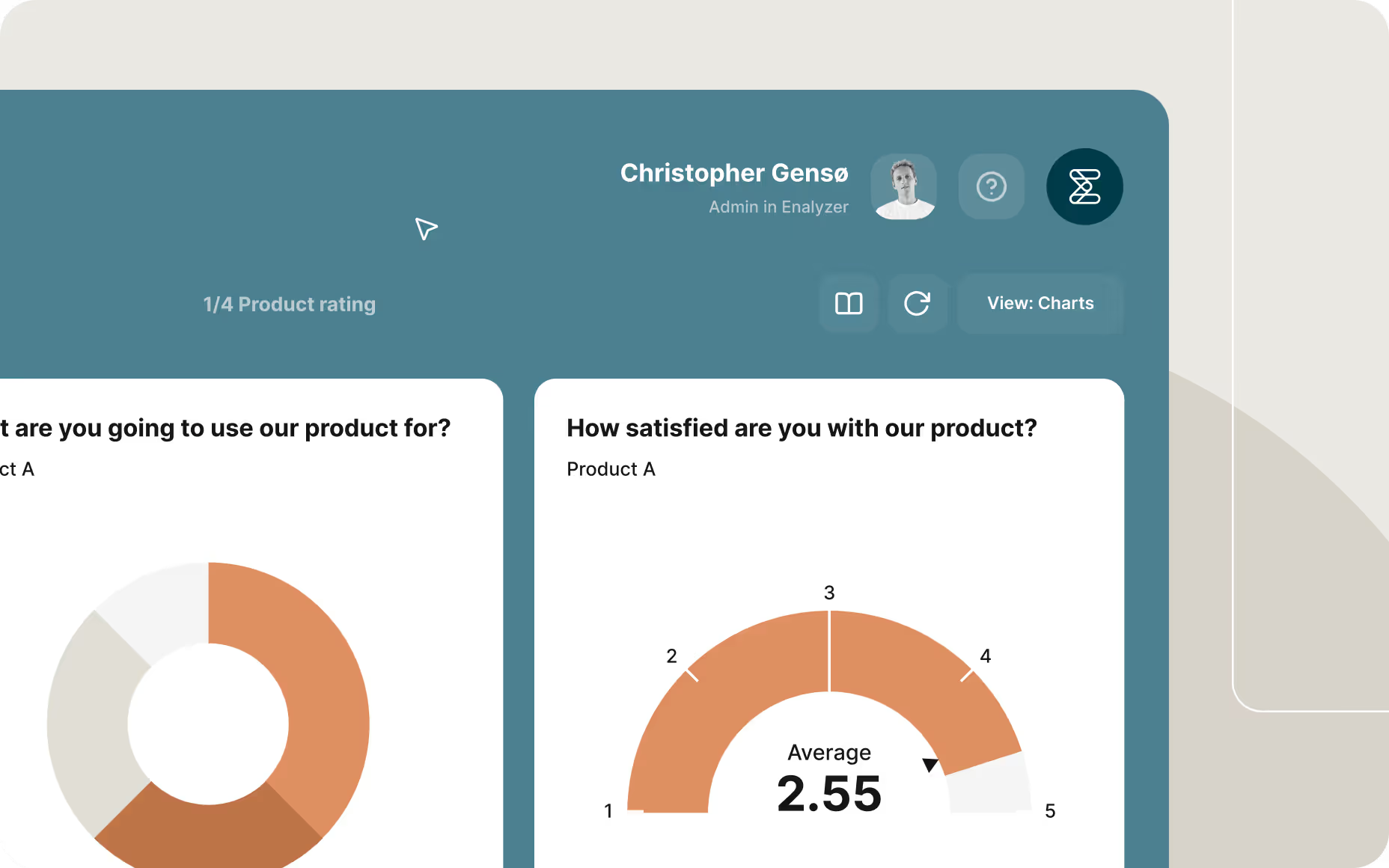
User interface showing automated employee pulse survey setup, illustrating functional requirements such as frequency, scheduling, and messaging within a survey tool.
With strategic alignment and realistic workflows defined, the organisation is ready to describe its requirements concretely. These fall into two main categories: functional (what the system does) and non-functional (how it operates), with data protection and compliance spanning both.
Functional requirements describe the capabilities the survey tool must offer to deliver business value. At a minimum, they should cover survey design, distribution and automation, integrations and data workflows, and reporting and analytics.
Survey Design & Logic
A modern survey tool should provide an intuitive builder that allows non-specialists to create robust surveys, while still supporting advanced logic for experts. This includes branching, piping, skip logic, and randomisation, as well as question libraries, reusable templates, and support for multi-language projects. Mobile-optimised, accessible layouts and a preview mode for testing logic and translations are essential, especially for global or diverse respondent groups.
Distribution & Automation
Distribution capabilities should match the organisation’s channels and workflows. Survey tools must support email, links, QR codes, SMS, and embedded surveys, along with automated invitations and reminders. Behaviour-based triggers - such as sending follow-ups to detractors, or reminders only to non-respondents - help sustain response rates. The ability to configure anonymity and control how identities are stored or separated is particularly important for sensitive surveys.
Integrations & Data Workflows
A survey tool should not become a data silo. Open APIs, webhook support, and connectors to CRM, HR, marketing automation, and analytics tools allow organisations to integrate survey data into existing systems. It should be possible to import background data (such as customer segment or employee department), automate exports, and create stable data flows to data warehouses and BI platforms.
Reporting & Analytics
Finally, the survey tool must make it easy to move from data to insight. Real-time dashboards, flexible filters, and segmentation tools enable users to explore results by country, department, role, or custom variables. Trend and benchmark features help track change over time. Secure, role-based sharing and automated PDF or online report distribution ensure that managers and stakeholders receive the information they need in a digestible format.
Non-functional requirements define how the tool must operate in practice. They cover performance, reliability, governance, training, security, and long-term evolution. Research and frameworks from Gartner, ISACA, Visure Solutions and others consistently highlight that these dimensions often determine whether a system is successfully adopted.
Service Quality & SLAs
Organisations should expect clearly defined service levels - such as uptime targets and performance thresholds - as well as transparent incident management and escalation processes. For survey programmes that feed into business-critical reporting, the cost of downtime or poor performance can be significant.
Training, Onboarding & Adoption Support
Even well-designed survey tools require thoughtful introduction. Vendors that provide structured onboarding, online help, tutorials, webinars, and configuration guidance significantly increase the probability of successful adoption. Governance features like role and permission models, template control, and workspaces help keep adoption scalable rather than chaotic.
Roadmap Transparency & Product Evolution
A survey tool should not be static. A clear product roadmap, visible release history, and channels for user feedback signal that the vendor is investing in the future. This matters especially for organisations planning multi-year programmes that need a survey tool capable of evolving with them.
Pricing Clarity & Total Cost of Ownership (TCO)
Licence structures vary widely - per user, per response, featurebased tiers, or enterprise agreements - and each has implications for cost as usage grows. Organisations should look beyond the headline price to consider integration costs, internal administration, consultancy needs, and likely growth in usage.
Partner & Service-Provider Capability
For many organisations, especially those running large-scale or multi-country programmes, the question is not just which tool but which partner model they need. A capable provider can offer survey methodology expertise, questionnaire design support, integration services, and assistance with implementation and change management. When feedback programmes are strategic and ongoing, a “tool-only” approach often leaves internal teams over-stretched.
Security, Compliance & Data Residency
Security and compliance are central non-functional requirements. For European organisations, GDPR-compliant data processing and EU data residency are often mandatory. Encryption in transit and at rest, role-based access control, audit logs, and identity integration (e.g., Azure AD, Okta, Google Workspace) should be standard. The vendor should be able to provide audited documentation and clear explanations of their security posture.
Scalability, Reliability & Maintainability
As usage grows - more surveys, more departments, more respondents - the tool must maintain performance and stability. This calls for robust, scalable infrastructure and a design that supports modular extensions and integrations.
Usability & Adoption-Driven UX
Usability, though sometimes underestimated, often determines whether a tool becomes broadly used or remains a niche tool for a few specialists. An interface that is intuitive, consistent, and well-documented lowers barriers to adoption and makes it realistic for multiple departments to work in the same environment.

A list of requirements is necessary but not sufficient. To make an objective decision, organisations benefit from using a formal evaluation framework. This brings structure, transparency, and repeatability to the selection process and helps stakeholders understand why a particular vendor was chosen.
The first step is to identify a manageable shortlist of candidate survey tools. Selecting three to five vendors is usually optimal: enough to compare options meaningfully without overwhelming the evaluation team. Shortlisting can be based on high-level criteria such as:
Once a shortlist is in place, a structured scoring model can be used to evaluate vendors. Typical models assign weights to categories like functional capabilities, non-functional quality, integrations and data handling, and vendor quality/TCO.
For example, an organisation might weigh:
Each vendor is then scored against more detailed criteria within these categories. The advantage of this model is that it reflects the organisation’s priorities explicitly and provides a defensible basis for the final decision
Generic demos rarely reveal how a tool performs under real conditions. Instead, vendors should be asked to demonstrate how their survey tool handles the specific workflows defined in Section 2 - for example, setting up an automated NPS programme, managing a multi-language engagement survey, or building dashboards for different stakeholder groups.
This scenario-based approach, recommended by several IT-selection methodologies and advisory firms, shifts the focus from marketing claims to actual performance.

For more complex or high-risk environments, a short proof of concept can be invaluable. A PoC uses real or representative data, real users, and real workflows to test whether the tool behaves as expected. Research such as Bjarnason et al.’s work on software selection in large-scale engineering contexts highlights iterative testing as a key success factor.
The aim is not to run a full programme, but to uncover early any misalignment between vendor promises and practical reality.
Selecting a survey tool is only half the journey. Real value emerges during implementation and ongoing use. This phase is where governance, training, and continuous optimisation make the difference between a tool that is technically available and one that is strategically embedded.
Governance defines how the organisation manages surveys and data over time. Without it, systems become fragmented, responsibilities unclear, and data trust erodes.
Effective governance often includes:
Such governance models are aligned with best practices in frameworks like COBIT and ISO/IEC 27001, which emphasise control, accountability, and traceability.
The introduction of a new survey tool is also a change-management exercise. Users may need to adapt to new processes, interfaces, and responsibilities. Providing training materials, internal guidelines, and clear communication about roles and expectations is key.
Organisations often benefit from:
When training and change management are treated as core workstreams rather than afterthoughts, adoption and satisfaction increase markedly.
Finally, survey programmes and survey tools should be continuously reviewed and refined. This includes not only the content of surveys but also the processes around them.
Questions to guide continuous optimisation include:
Regular reviews, combined with feedback from users and stakeholders, enable organisations to improve both their survey content and their operating model over time.
While this guide does not compare or rank specific tools, in comparisons on for instance best survey tools 2025 enterprise, best survey tools for organizations, survey tool comparison and GDPR compliant EU hosted survey platform, organisations often benefit from a high-level understanding of the types of survey platforms commonly evaluated and compared in enterprise contexts. The overview below groups well-known providers by the region in which they are headquartered.
(Denmark, Sweden, Norway, Finland, Iceland - HQ location shown)
(Nordic vendors are strong in EU GDPR-focused environments, public-sector usage, and multi-country governance.)
Europe (Non-Scandinavian EU/EEA) Survey Tools
(These platforms range from enterprise to research-focused, with strong EU data-residency adoption.)
(Founded and headquartered in the U.S.)
(U.S. vendors enterprise suites and broad global SaaS adoption.)
Selecting a survey tool is a strategic decision that affects how an organisation listens to its employees, customers, and stakeholders. The right choice can underpin a culture of continuous improvement and insight-driven decision-making. The wrong one can lead to fragmentation, low adoption, and mistrust of data.
By starting with strategic alignment, understanding real workflows, defining both functional and non-functional requirements, using a structured evaluation framework, and planning for governance and implementation from day one, organisations can significantly increase their chances of success.
A modern survey tool, supported by the right partner model, is not just another system in the stack. It is a critical enabler of better decisions, stronger relationships, and more resilient organisations.
They can be a useful starting point, but many are influenced by vendor interests and focus mainly on features. For strategic decisions, a structured evaluation based on your own requirements, workflows, and governance needs is more reliable.
They can work for simple, ad hoc surveys. However, for strategic programmes involving multiple departments, sensitive data, or long-term tracking, they typically lack governance, integration, security, and reporting depth.
It depends on your resources and ambitions. If you run complex, multi-country or high-visibility programmes, a partner with survey methodology, integration, and change-management expertise can significantly reduce risk and improve outcomes.
For European organisations, security and GDPR compliance are mandatory when selecting a survey platform. The platform must ensure full EU data residency for all personal data and be transparent about hosting locations, sub-processors, and data flows. Key GDPR requirements include a solid DPA, documented security measures, detailed audit logs, and tools for data-subject rights, retention control, anonymisation, and secure deletion. Strong access control through enterprise identity systems (e.g. Azure AD, Okta) is also essential. Vendors should provide audited documentation, security reports, penetration-test summaries, and sub-processor updates. Certifications like ISO 27001 further strengthen trust.
A platform with genuine EU hosting, GDPR-aligned processes, and clear transparency lowers risk, supports internal approval, and builds respondent confidence.
Focusing on features without considering long-term governance, adoption, integration, and TCO. Tools chosen this way often need to be replaced when programmes scale or regulatory scrutiny increases.
Christopher Gensø is a Consultant and Survey Methodology Specialist at Enalyzer. He works with organisations to design, implement, and optimize their survey solutions - supporting everything from questionnaire design and data workflows to tool configuration, integrations, reporting, and dashboards. His focus is ensuring customers get reliable insights that drive real business impact.
We'll match you with the right expert.